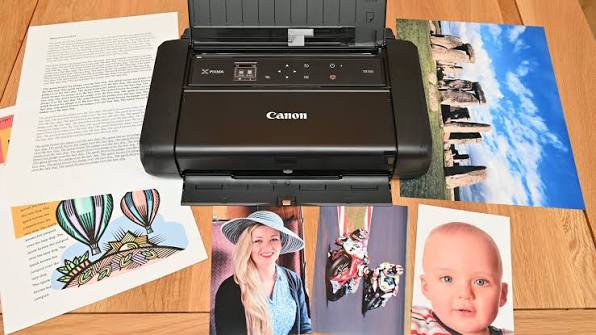
How do you do a hard reset on a Canon printer?
Canon printers are widely used in homes, schools, and offices because of their reliable performance and excellent print quality. Whether you use your printer for documents, photos, or business reports, you may occasionally experience issues such as printing errors, wireless connection problems, paper feed issues, or unresponsive controls. In many situations, performing a hard reset can help restore the printer to its normal working condition.
What Is a Hard Reset?
A hard reset restarts the printer by completely removing power for a short period before turning it back on. This process clears temporary memory, refreshes the printer's internal system, and may resolve software-related problems.
A hard reset can help with:
- Temporary printer errors
- ruptions
- CommuFrozen control panel
- Wireless connection problems
- Printing internication issues
- Slow printer response
When Should You Perform a Hard Reset?
A hard reset may be useful if your Canon printer experiences any of the following problems:
- The printer is not responding.
- Print jobs remain stuck.
- The printer displays unexpected error messages.
- Wireless connections keep disconnecting.
- The control panel freezes.
- The printer is not detected by your computer.
The printer behaves unusually after a software update.
Prepare Before Resetting the Printer
Check the following:
- Ensure the printer is turned on.
- Remove any pending print jobs if possible.
- Verify there is no paper jam.
- Confirm ink cartridges are installed correctly.
- Save any important printer settings that you may need later.
Preparing beforehand helps avoid interruptions during the reset process.
Turn Off the Printer
- Begin by turning off the Canon printer using the power button.
- Wait until the printer has completely powered down before continuing.
- Do not disconnect the power while the printer is still shutting down.
Disconnect the Power Source
- After the printer is completely turned off, disconnect the power cable from the printer.
- If possible, disconnect the power cable from the electrical outlet as well.
- Removing power allows the printer's temporary memory to clear.
Wait Before Reconnecting
- Leave the printer disconnected for a short period.
- This waiting period allows any remaining electrical charge inside the printer to dissipate and helps reset the internal system.
- Avoid reconnecting the power immediately.
Reconnect the Power
- Reconnect the power cable securely to both the printer and the electrical outlet.
- Make sure the connection is firm before turning the printer back on.
- A secure power connection is important for proper startup.
Turn the Printer Back On
- Press the power button to turn the printer back on.
- Allow the printer to complete its startup process without interruption.
- The printer may take a little longer than usual to initialize after the reset.
Check Printer Settings
- After the printer starts successfully, review its settings.
- Depending on your printer model, you may need to reconnect the printer to your wireless network or adjust certain preferences that returned to their default values.
- Verify that all required settings are correct before printing.
Print a Test Page
A successful test verifies that:
- The printer starts normally.
- The printer communicates correctly with your computer.
- Print quality is normal.
- The original problem has been resolved.
Testing helps confirm that the printer is functioning properly.
What If the Problem Continues?
Check whether:
- The printer driver is up to date.
- The firmware is current.
- The printer is connected to the correct Wi-Fi network.
- The ink cartridges are installed properly.
- There are any paper obstructions inside the printer.
A hard reset resolves many issues, but additional troubleshooting may sometimes be necessary.
Update the Printer Driver
Keeping the driver updated improves:
- Compatibility
- Stability
- Print performance
- Overall reliability
Restart your computer after updating the driver.
Update Printer Firmware
Keeping the firmware updated can improve:
- Wireless connectivity
- Stability
- Compatibility
- Error handling
Restart the printer after completing any firmware updates.
Perform Routine Printer Maintenance
Regular maintenance includes:
- Cleaning the printer
- Updating printer drivers
- Installing firmware updates
- Checking ink levels
- Inspecting the paper path
- Reviewing printer settings
Routine care helps extend the printer's lifespan.
Tips to Prevent Future Printer Problems
Following good maintenance habits can help reduce printer errors.
Keep the Printer Clean
Regular cleaning helps prevent paper feed and print quality issues.
Update Printer Software Regularly
Current software improves compatibility and performance.
Use Compatible Ink Cartridges
Proper cartridges help ensure reliable operation.
Check the Paper Tray
Load paper correctly to avoid feeding problems.
Restart the Printer Occasionally
Periodic restarts refresh the printer's internal system.
Maintain a Stable Wireless Connection
Reliable connectivity improves communication with your devices.
Common Mistakes to Avoid
Avoid these common mistakes when resetting your Canon printer:
- Disconnecting the power before the printer shuts down completely
- Reconnecting the power too quickly
- Ignoring paper jams before performing a reset
- Forgetting to review printer settings afterward
- Skipping printer driver updates
- Ignoring firmware updates
- Using incompatible ink cartridges
- Interrupting the printer during startup
FAQs
What does a hard reset do on a Canon printer?
A hard reset clears temporary memory, refreshes the printer's internal system, and can resolve many software-related issues without affecting the printer's hardware.
When should I perform a hard reset?
A hard reset is useful when the printer becomes unresponsive, displays unexpected errors, has wireless connection problems, or fails to communicate with your computer.
Will a hard reset erase my printer settings?
Some customized settings, such as wireless network information or user preferences, may return to their default values depending on the printer model.
Why should I print a test page after the reset?
A test page confirms that the printer is functioning correctly, communicates with your computer, and that the original issue has been resolved.
How can I prevent future Canon printer problems?
Keep the printer clean, update the printer driver and firmware regularly, use compatible ink cartridges, load paper correctly, maintain a stable wireless connection, restart the printer occasionally, and perform routine maintenance.
Conclusion
A hard reset is an effective way to resolve many common Canon printer issues, including temporary software glitches, frozen controls, wireless connection problems, and communication errors. While it does not fix every problem, it often restores normal printer operation by clearing temporary memory and refreshing the printer's internal system.
How to Reach Our On-Call Support Team
Getting the help, you need is just a phone call away: