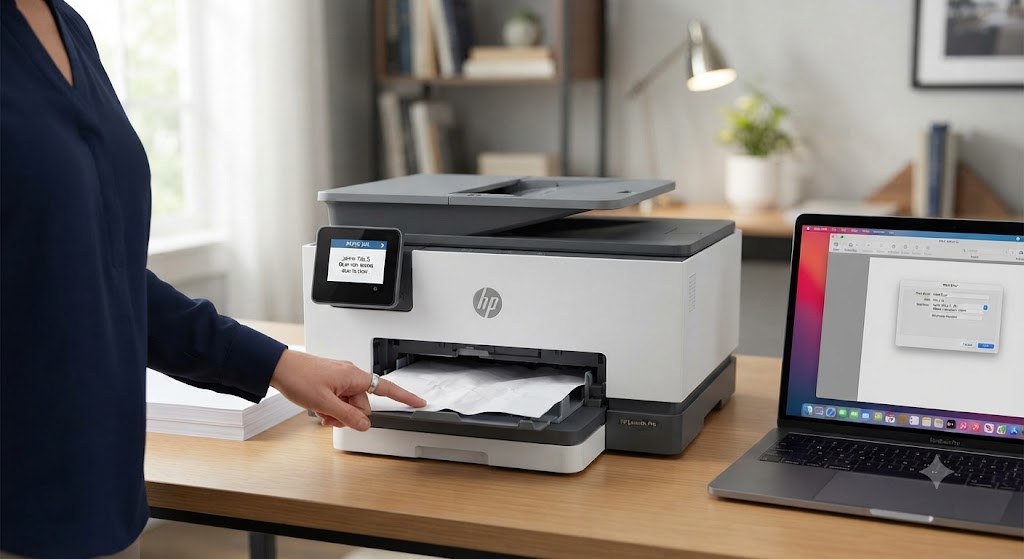
What is the most common error in printers?
Printers are reliable devices, but like any technology, they can occasionally develop problems. Whether you use a printer at home, in a small business, or in a large office, you may experience printing errors that interrupt your work. Some issues are minor and can be fixed in just a few minutes, while others require more detailed troubleshooting.
One of the most common printer errors is the Printer Offline error. This problem occurs when your computer cannot communicate with the printer, even though the printer is powered on. Other common issues include paper jams, print queue errors, poor print quality, printer not responding messages, wireless connection problems, and outdated printer drivers.
The good news is that most printer errors are caused by software settings, communication issues, or routine maintenance problems rather than hardware failure. By following a few simple troubleshooting steps, you can often restore your printer and continue printing without difficulty.
Printer Offline Error
The Printer Offline error is one of the most frequently reported printer problems.
It usually occurs when the computer loses communication with the printer.
This may happen because of a weak network connection, loose cables, incorrect printer settings, or outdated printer drivers.
Restarting the printer, checking the connection, updating the printer driver, and verifying printer settings often resolve the issue.
Paper Jam Error
-
Paper jams occur when paper becomes stuck inside the printer.
-
This may happen because of damaged paper, incorrect paper loading, or dirty paper rollers.
-
Carefully remove the jammed paper and inspect the printer for any remaining paper fragments.
-
Using the correct paper type also helps reduce paper jams.
Printer Not Responding
-
A printer may display a Printer Not Responding message when it cannot receive print jobs from the computer.
-
Communication issues, damaged printer drivers, or software conflicts are common causes.
-
Restarting the printer and computer often restores normal operation.
Print Queue Problems
-
The print queue stores documents waiting to be printed.
-
If one print job becomes corrupted, it may prevent all remaining jobs from printing.
-
Clearing the print queue and restarting the Print Spooler service usually fixes the problem.
Poor Print Quality
-
Poor print quality may include faded text, streaks, blurry images, or blank pages.
-
This problem is often caused by clogged printheads, low ink or toner, dirty rollers, or worn cartridges.
-
Cleaning the printhead and replacing supplies can improve print quality.
Printer Driver Errors
-
Printer drivers allow the computer to communicate with the printer.
-
If the driver is outdated, damaged, or incompatible, printing problems may occur.
-
Installing the latest printer driver often resolves communication issues.
Wireless Connection Problems
-
Wireless printers depend on a stable Wi-Fi connection.
-
If the printer disconnects from the network, printing may stop.
-
Restarting the router and reconnecting the printer often restore communication.
Low Ink or Toner Warnings
-
Low ink or toner levels can affect print quality.
-
Replacing empty cartridges before they are completely exhausted helps maintain consistent printing performance.
Common Reasons Printer Errors Occur
Several issues can affect printer performance.
Common causes include:
-
Weak Wi-Fi connection.
-
Loose cable connections.
-
Outdated printer drivers.
-
Damaged printer drivers.
-
Incorrect printer settings.
-
Stuck print queue.
-
Paper jams.
-
Low ink or toner.
-
Dirty printheads.
-
Temporary software conflicts.
-
Operating system compatibility issues.
-
Printer hardware wear.
Understanding these causes makes troubleshooting easier.
General Steps to Fix Printer Errors
Many printer problems can be solved with basic troubleshooting.
-
Restart the printer.
-
Restart the computer.
-
Check cable or Wi-Fi connections.
-
Clear the print queue.
-
Update the printer driver.
-
Verify printer settings.
-
Clean the printer regularly.
-
Install operating system updates.
These simple steps solve many common printing problems.
Tips to Prevent Printer Errors
Routine maintenance helps improve printer reliability.
-
Keep the printer driver updated.
-
Maintain a stable Wi-Fi connection.
-
Use good-quality paper.
-
Replace ink or toner when needed.
-
Clean the printer regularly.
-
Clear completed print jobs.
-
Install software updates.
-
Print regularly to keep the printer in good condition.
These habits help reduce unexpected printer issues.
FAQs
What is the most common printer error?
The Printer Offline error is one of the most common printer problems and is usually caused by communication issues between the computer and printer.
Why does my printer keep showing errors?
Printer errors can result from weak network connections, outdated drivers, incorrect settings, paper jams, software conflicts, or low ink and toner levels.
Can updating the printer driver fix printer errors?
Yes. Updated printer drivers improve communication, compatibility, and overall printer performance while reducing many common errors.
Why should I clear the print queue?
A stuck or damaged print job can block new documents and prevent your printer from printing.
How can I prevent printer problems?
Regular cleaning, software updates, stable network connections, and routine maintenance help prevent many common printer issues.
When should I get printer help?
Additional printer help may be useful if your printer continues showing errors after completing the recommended troubleshooting steps.
Conclusion
The Printer Offline error is one of the most common printer problems, but many other issues such as paper jams, print queue errors, poor print quality, printer driver problems, and wireless connection failures can also interrupt printing. Fortunately, most of these problems are caused by communication issues, software settings, or routine maintenance rather than serious hardware failures.
Restarting your printer and computer, checking the connection, updating printer drivers, clearing the print queue, cleaning the printer, and keeping your software updated can solve many common printer errors.
How to Reach Our On-Call Support Team
Getting the help, you need is just a phone call away: