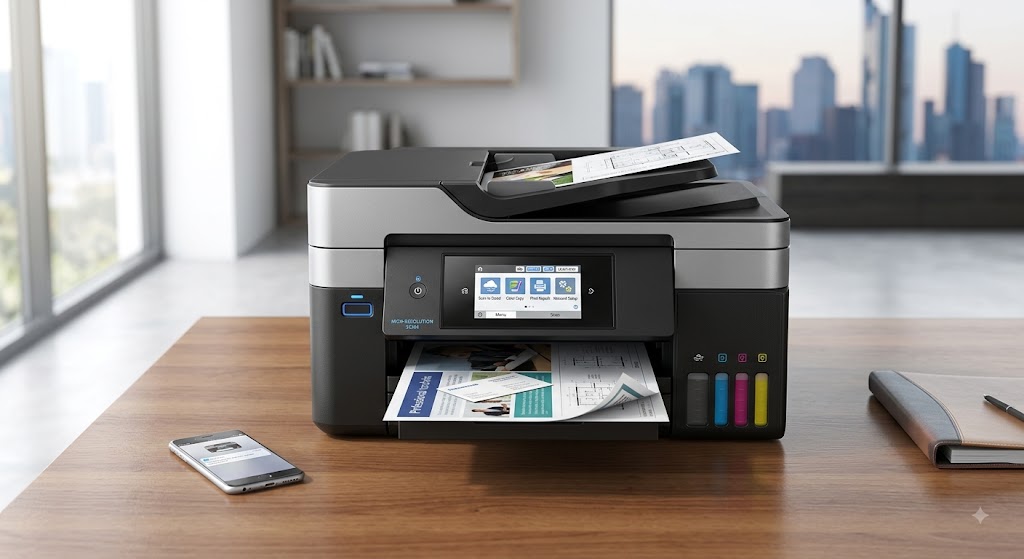
What type of printer is best for home office use?
Choosing the right printer for your home office can make everyday work much easier. Whether you print documents, reports, invoices, contracts, school assignments, or occasional photos, having a reliable printer saves time and improves productivity. With so many printer types available, finding the one that fits your needs can seem confusing.
The best printer for a home office depends on how often you print, the type of documents you produce, whether you need color printing, and the features that matter most to you. Some people print only a few pages each week, while others print large volumes every day. Understanding your printing habits will help you make the right choice.
Why Choosing the Right Printer Matters
-
A printer is an important part of any home office.
-
The right printer provides reliable performance, good print quality, and features that match your daily work.
-
Choosing the wrong printer may lead to higher operating costs, slower printing, or features you never use.
Inkjet Printers
-
Inkjet printers are popular for home offices because they are versatile.
-
They produce clear text and vibrant color prints, making them suitable for documents, presentations, and photos.
-
They are often a good choice for users who print occasionally and need high-quality color output.
Best for
-
Home offices with light to moderate printing.
-
Color documents and photos.
-
Students and remote workers.
Laser Printers
-
Laser printers are designed for speed and efficiency.
-
They produce sharp text and handle large printing tasks well.
-
They are ideal for users who print frequently and mainly work with black-and-white documents.
-
Color laser printers are also available for businesses that need professional-looking color prints.
Best for
-
High-volume printing.
-
Business documents.
-
Reports and contracts.
-
Everyday office work.
All-in-One Printers
-
An all-in-one printer combines several functions in one device.
-
Besides printing, it can scan, copy, and sometimes send documents digitally.
-
This type of printer saves space and is a practical option for many home offices.
Best for
-
Small businesses.
-
Home offices with limited space.
-
Users who regularly scan or copy documents.
Wireless Printers
-
Wireless printers connect through your home network.
-
They allow multiple computers, smartphones, and tablets to print without using cables.
-
This makes them convenient for families and shared workspaces.
Best for
-
Wireless printing.
-
Multiple users.
-
Flexible office layouts.
Portable Printers
-
Portable printers are compact and lightweight.
-
They are designed for people who travel frequently or work in different locations.
-
Although smaller than traditional printers, they provide convenient printing while on the move.
Best for
-
Mobile professionals.
-
Business travel.
-
Printing away from the office.
Photo Printers
-
Photo printers are built specifically for high-quality photo printing.
-
They produce detailed images with vibrant colors.
-
While they can print documents, they are mainly designed for photography enthusiasts and creative professionals.
Best for
-
Printing photographs.
-
Creative projects.
-
Graphic work.
Features to Look for in a Home Office Printer
Before choosing a printer, think about the features that will make your work easier.
Important features include:
-
Wireless connectivity.
-
Fast printing speed.
-
Automatic duplex printing.
-
Scanning and copying functions.
-
Mobile printing support.
-
Good print quality.
-
Easy setup.
-
Reliable paper handling.
-
Quiet operation.
-
Simple maintenance.
Selecting the features you actually need helps you get better value.
Things to Consider Before Buying
Every home office has different printing requirements.
Consider these points before making your decision:
-
How often you print.
-
Whether you need color printing.
-
Available space.
-
Compatibility with your computer and mobile devices.
-
Wireless connectivity.
-
Ease of maintenance.
-
Print quality.
-
Future printing needs.
Answering these questions will help you choose a printer that meets your daily requirements.
Tips for Better Printer Performance
Once you choose your printer, proper maintenance helps keep it running smoothly.
-
Keep the printer clean.
-
Update printer drivers regularly.
-
Use quality paper.
-
Replace ink or toner when needed.
-
Keep the printer connected to a stable network.
-
Avoid overloading the paper tray.
-
Print a test page occasionally.
-
Restart the printer if you notice temporary issues.
These simple habits improve performance and extend the printer's life.
Common Home Office Printing Problems
Even a good printer can occasionally experience problems.
Common issues include:
-
Printer offline messages.
-
Slow printing.
-
Paper jams.
-
Poor print quality.
-
Wireless connection problems.
-
Print jobs stuck in the queue.
-
Printer not detected.
-
Driver errors.
-
Blank pages.
-
Communication errors.
-
Low ink or toner warnings.
-
Incorrect printer settings.
Most of these problems can be solved with basic troubleshooting and regular maintenance.
FAQs
Which printer is best for a home office?
The best printer depends on your needs. Inkjet printers are great for color printing, while laser printers are ideal for frequent document printing.
Is a wireless printer good for home office use?
Yes. Wireless printers allow you to print from multiple devices without using cables, making them convenient for home offices.
Should I buy an all-in-one printer?
If you regularly print, scan, and copy documents, an all-in-one printer is an excellent choice.
What should I consider before buying a printer?
Think about your printing volume, color requirements, available space, wireless connectivity, print quality, and additional features such as scanning or copying.
How can I make my printer last longer?
Keep the printer clean, update the drivers regularly, use quality paper, replace ink or toner when needed, and perform routine maintenance.
When should I get printer help?
Additional printer help may be useful if your printer continues having performance or connection problems after completing the recommended troubleshooting steps.
Conclusion
The best printer for a home office depends on your printing needs. Inkjet printers are ideal for users who want excellent color printing and occasional use, while laser printers are a better choice for frequent document printing. All-in-one printers provide added convenience with scanning and copying features, and wireless printers make printing from multiple devices simple and flexible.
Before buying a printer, consider your printing volume, workspace, required features, and future needs. Choosing the right printer and maintaining it properly will help you enjoy reliable performance for years. If you continue experiencing printer issues after setup and troubleshooting, additional printer help may be needed to identify and resolve the underlying cause.
How to Reach Our On-Call Support Team
Getting the help, you need is just a phone call away: